

SCPI for the Oscilloscope
The eLABin1 Oscilloscope (OSC) can be remotely controlled by SCPI commands. Below are the SCPI commands for each of the subsystems of the OSC listed in tables. |
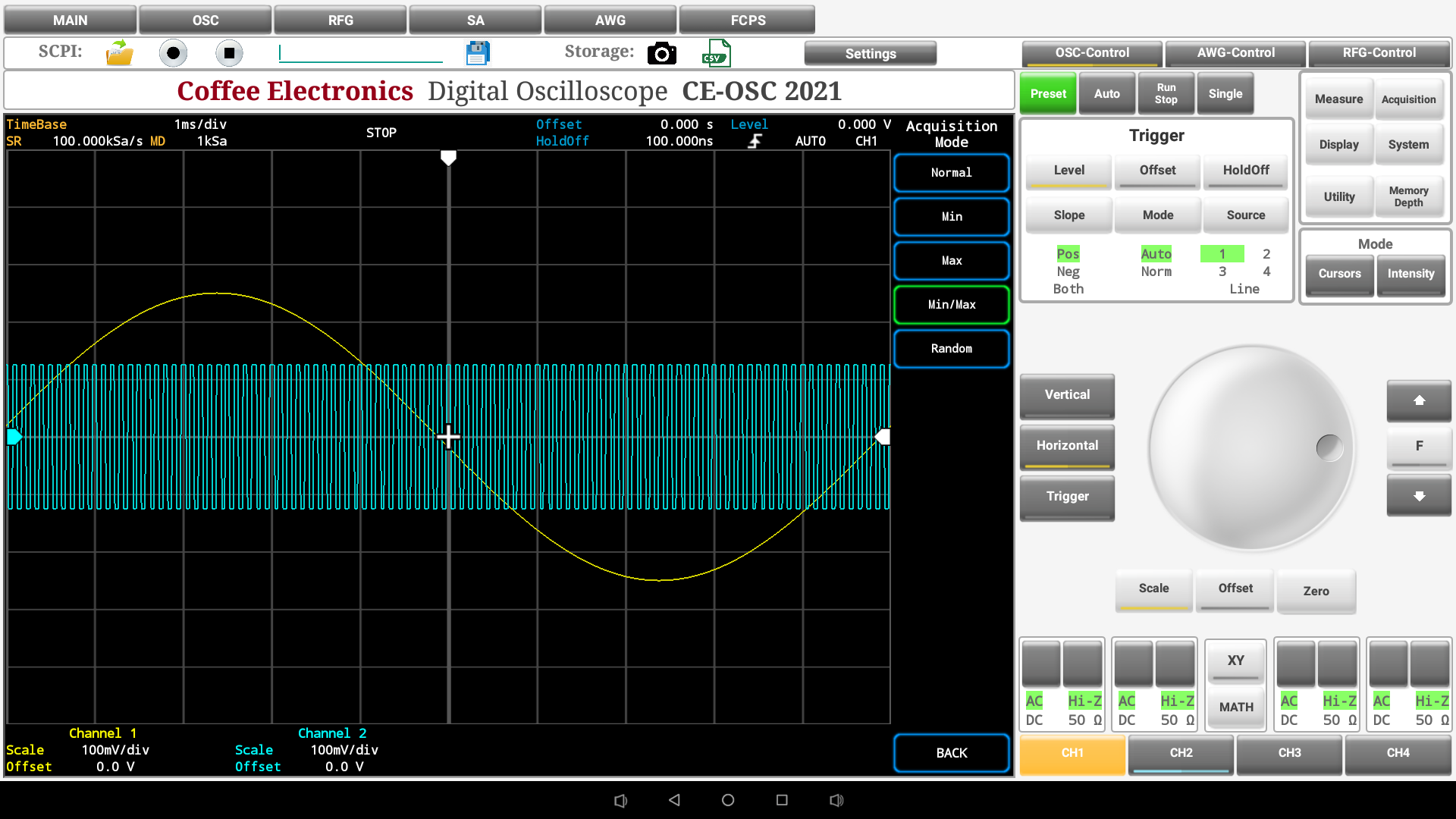 |
Communication with the Oscilloscope
| Command | Description | ||
|---|---|---|---|
OSC |
Switches to the OSC from the main screen or from another instrument | ||
Common commands
The following Common Commands apply to the entire configuration of the Oscilloscope only when the Oscilloscope is the instrument in foreground. As Common Commands are based in the current context, they apply to the current instrument, when the current view is the main screen. Commands apply for the entire configuration of the eLABin1.
| Command | Description | ||
|---|---|---|---|
OSC:*IDN? |
Returns the SCPI identification string of the oscilloscope. | ||
OSC:*RST |
Resets the oscilloscope. | ||
OSC:*SAV {A|B|C|D} |
Saves the Oscilloscope state on the selected memory slot. | ||
OSC:*WAI |
The Wait-to-Continue (WAI) command causes the oscilloscope to wait until all pending commands are completed, before executing any other commands. | ||
Trigger Control Commands
| Command | Example 1 | Example 2 | Description |
|---|---|---|---|
OSC:TRiggerSLope {POSitive|NEGative|BOTH} |
OSC:TRSL POS |
OSC:TRSL NEG |
Switches the trigger slope between Positive, Negative or Both. |
OSC:TRiggerMoDe {NORMal|AUTO} |
OSC:TRMD NORM |
OSC:TRMD AUTO |
Selects the trigger mode between Auto and Normal. |
OSC:TRiggerSOurce Channel{1|2|3|4|LINE} |
OSC:TRSO C2 |
OSC:TRSO LINE |
Selects the trigger source to one of the four channels or Line. |
OSC:TRiggerOFfset {UP|DOWN} |
OSC:TROF UP |
OSC:TROF DOWN |
Sets the Trigger Offset up or down to the current value (every step depends of the granularity mode). |
OSC:TRiggerLeVel {UP|DOWN} |
OSC:TRLV UP |
OSC:TRLV DOWN |
Sets the Trigger Level up or down to the current value (every step depends of the granularity mode). |
OSC:TRIggerHOldoff {UP|DOWN} |
OSC:TRIHO UP |
OSC:TRIHO DOWN |
Increases or decreases the trigger holdoff value. |
Channel Control Commands
| Command | Example 1 | Example 2 | Description |
|---|---|---|---|
OSC:Channel{1|2|3|4}:VOFFset {UP|DOWN} |
OSC:C2:VOFF UP |
OSC:C3:VOFF DOWN |
Adjust gradually the offset of the vertical scale depending of the granularity steps. |
OSC:Channel{1|2|3|4}:HOFFset {UP|DOWN} |
OSC:C1:HOFF UP |
OSC:C4:HOFF DOWN |
Adjusts gradually the offset of the horizontal scale depending of the granularity steps. |
|
|
OSC:C3:COUP DC |
OSC:C4:COUP AC |
Selects channel coupling for each channel to AC or DC |
OSC:Channel{1|2|3|4}:IMPedance {HIZ|50} |
OSC:C2:IMP HIZ |
OSC:C1:IMP 50 |
Selects the input impedance of each channel to High impedance or 50 |
OSC:MEASURE:{VMAX|VMIN|PEAK|VPP|VRMS|PeRioD|FREQuency} Channel{1|2|3|4} |
OSC:MEAS:VPP C2 |
OSC:MEAS:VRMS C3 |
Selects the Measure to perform on the specified channel. |
OSC:Channel{1|2|3|4}:DISPlay {ON|OFF} |
OSC:C1:DISP ON |
OSC:C3:DISP OFF |
Displays or hide the waveform measured on the specified channel. |
Display Control Commands
| Command | Example 1 | Example 2 | Description |
|---|---|---|---|
OSC:Channel{1|2|3|4}:DISPlay {ON|OFF} |
OSC:C1:DISP ON |
OSC:C3:DISP OFF |
Displays or hide the waveform measured on the specified channel. |
OSC:DISPlay:WaveINTensity <number>{%} |
OSC:DISP:WINT 30% |
OSC:DISP:WINT 70% |
Sets the Wave intensity to the specified value by the parameter(0-100) |
OSC:DISPlay:GRID {ON|OFF} |
OSC:DISP:GRID ON |
OSC:DISP:GRID OFF |
Activates/deactivates the Grid View. |
OSC:XYDisPlay {ON|OFF} |
OSC:XYDP ON |
OSC:XYDP OFF |
Displays the XY representation. |
Cursor Control commands
| Command | Example 1 | Example 2 | Description |
|---|---|---|---|
OSC:CURSor:{H1|H2|H3|H4|DELtaH} {ON|OFF} |
OSC:CURS:H2 ON |
OSC:CURS:H3 OFF |
Activates/deactivates the specified horizontal cursor |
OSC:CURSor:{V1|V2|V3|V4|DELtaV} {ON|OFF} |
OSC:CURS:V3 OFF |
OSC:CURS:V1 ON |
Activates /deactivates the specified vertical cursor |
OSC:CURSor:{HORizontal|VERTical} {ReMoveALl} |
OSC:CURS:HOR RMAL |
OSC:CURS:VERT RMAL |
Removes all the horizontal/vertical activated cursors |
Acquisition Control commands
| Command | Example 1 | Example 2 | Description |
|---|---|---|---|
OSC:ACQuire:MODE {NORMal|MIN|MAX|MInMAx|RAND} |
OSC:ACQ:MODE NORM |
OSC:ACQ:MODE RAND |
Selects the waveform acquisition mode. |
OSC:ACQuire:ENABle {ON|OFF} |
OSC:ACQ:ENAB ON |
OSC:ACQ:ENAB OFF |
Enables the acquisition mode. |
Scale Control commands
| Command | Example 1 | Example 2 | Description |
|---|---|---|---|
OSC:SCALE {VERTical|HORizontal|TRIGger} |
OSC:SCAL HOR |
OSC:SCAL TRIG |
Sets the Scale mode to Vertical, Horizontal or Trigger (when you use the command OSC:SCAL:ADJ [UP|DOWN] the configured scale depends of this current mode). |
OSC:SCALe:ADJust {UP|DOWN} |
OSC:SCAL:ADJ UP |
OSC:SCAL:ADJ DOWN |
Sets the scale value to up or down to the current value (the configured scale depends of the parameter configured on the Oscilloscope scale). |
OSC:STePS {FINE|COARSE} |
OSC:STPS FINE |
OSC:STPS COARSE |
Sets the granularity steps to fine or coarse. |
Other Control commands
| Command | Example 1 | Example 2 | Description |
|---|---|---|---|
OSC:ZERO |
OSC:ZERO |
|
Returns the Oscilloscope parameters (offset vertical, offset horizontal,) to zero. |
OSC:PRINT |
OSC:PRINT |
|
Outputs a copy of the screen to a printer or other device. |
OSC:{RUN|STOP} |
OSC:RUN |
OSC:STOP |
Starts/stops the oscilloscope. |
OSC:AUTO |
OSC:AUTO |
|
Evaluates all input waveforms and find the optimum conditions for displaying the waveform. |
OSC:SINGLE |
OSC:SINGLE |
OSC:XYDP OFF |
Causes the oscilloscope to make a single acquisition when the next trigger event occurs. |
OSC:{AWG|RFG} |
OSC:AWG |
OSC:RFG |
Activates the AWG or RF-Generator control panel on the Oscilloscope to use their functions. |
OSC:LOAD:STATe {A|B|C|D} |
OSC:LOAD:STAT C |
OSC:LOAD:STAT D |
Loads the storaged data on the specified memory state. |
OSC Query Commands
| Command | Example | Return | Description |
|---|---|---|---|
OSC:Channel{1|2|3|4}:DISPlay? |
OSC:C2:DISP? |
OSC:C2:DISP ON |
Asks for the state of the specified channel. |
OSC:DISPlay:WaveINTensity? |
OSC:DISP:WINT? |
OSC:DISP:WINT 70 |
Asks for the Wave Intensity value. |
OSC:DISPlay:GRID? |
OSC:DISP:GRID? |
OSC:DISP:GRID OFF |
Asks for the Grid View state. |
OSC:XYDisplay? |
OSC:XYDP? |
OSC:XYDP ON |
Asks for the XY representation state. |
OSC:TRiggerSLope? |
OSC:TRSL? |
OSC:TRSL POS |
Asks for the Trigger Slope value. |
OSC:TRiggerMoDe? |
OSC:TRMD? |
OSC:TRMD NORM |
Asks for the Trigger Mode value. |
OSC:TRiggerSOurce? |
OSC:TRSO? |
OSC:TRSO LINE |
Asks for the channel that is specified as Trigger Source. |
OSC:TRiggerOFfset? |
OSC:TROF? |
OSC:TROF DOWN |
Asks for the Trigger Offset value. |
OSC:TRiggerLeVel? |
OSC:TRLV? |
OSC:TRLV UP |
Asks for the Trigger Level value. |
OSC:TRiggerHOldoff? |
OSC:TRHO? |
OSC:TRHO DOWN |
Asks for the Trigger Holdoff value. |
OSC:SCALe? |
OSC:SCAL? |
OSC:SCAL HOR |
Asks for the Scale Mode value. |
OSC:STePS? |
OSC:STPS? |
OSC:STPS FINE |
Asks for the granularity steps value. |
OSC:WAV? |
OSC:WAV? |
Array with the data acquired in the activated channels of the Oscilloscope and the corresponding graph | Asks for the Acquired data on the Oscilloscope |
OSC:Channel{1|2|3|4}: VertOFFset? |
OSC:C2:VOFF? |
OSC:C2:VOFF UP |
Asks for the Vertical Offset value on the specified channel. |
OSC:Channel{1|2|3|4}:HorizontalOFFset? |
OSC:C3:HOFF? |
OSC:C3:HOFF DOWN |
Asks for the Horizontal Offset value on the specified channel. |
OSC:Channel{1|2|3|4}:COUPling? |
OSC:C1:COUP? |
OSC:C1:COUP AC |
Asks for the Channel Coupling on the specified channel. |
OSC:Channel{1|2|3|4}:IMPedance? |
OSC:C4:IMP? |
OSC:C4:IMP HIZ |
Asks for the Input Impedance on the specified channel. |
OSC:MEASure:VMAX? |
OSC:MEAS:VMAX? |
OSC:MEAS:VMAX C2 400mV; C3 500mV |
Asks for the Maximum Voltage value measured on each channels that has the measured activated. |
OSC:MEASure:VMIN? |
OSC:MEAS:VMIN? |
OSC:MEAS:VMIN C1 100mV |
Asks for the Minimum Voltage value measured on each channels that has the measured activated. |
OSC:MEASure:PEAK? |
OSC:MEAS:PEAK? |
OSC:MEAS:PEAK C2 700mV; C4 900mV |
Asks for the Peak Voltage value measured on each channels that has the measured activated. |
OSC:MEASure:VPP? |
OSC:MEAS:VPP? |
OSC:MEAS:VPP C3 500mV |
Asks for the Peak to Peak Voltage value measured on each channels that has the measured activated. |
OSC:MEASure:VRMS? |
OSC:MEAS:VRMS? |
OSC:MEAS:VRMS C4 200mV; C1 100mV |
Asks for the RMS Voltage value measured on each channels that has the measured activated. |
OSC:MEASure:PERiod? |
OSC:MEAS:PER? |
OSC:MEAS:PER C2 200mS; C3 1S |
Asks for the Period value measured on each channels that has the measured activated. |
OSC:MEASure:FREQuency? |
OSC:MEAS:FREQ? |
OSC:MEAS:FREQ C4 500KHZ |
Asks for the Frequency value measured on each channels that has the measured activated. |
OSC:CURSor:{H1|H2|H3|H4|DELtaH}? |
OSC:CURS:H2? |
OSC:CURS:H2 ON |
Asks for the state an position of the specified Horizontal Cursor. |
OSC:CURSor:{V1|V2|V3|V4|DELtaV}? |
OSC:CURS:V3? |
OSC:CURS:V3 OFF |
Asks for the state an position of the specified Vertical Cursor. |
OSC:ACQuire:MODE? |
OSC:ACQ:MODE? |
OSC:ACQ:MODE RAND |
Asks for the Waveform acquisition mode value. |
OSC:ACQuire:ENABle? |
OSC:ACQ:ENAB? |
OSC:ACQ:ENAB OFF |
Asks for the acquisition mode state. |
OSC:AWG? |
OSC:AWG? |
OSC:AWG ON |
Asks for the Arbitrary Waveform Generator panel state on the oscilloscope. |
OSC:RFG? |
OSC:RFG? |
OSC:RFG OFF |
Asks for the Radio Frequency Generator panel state on the oscilloscope. |
Preset Values
| Group | Variable | Value |
|---|---|---|
| Time Base | 1 mS/div | |
| Trigger | Slope | Positive |
| Mode | Auto | |
| Source | Channel 1 | |
| Level | 0 V | |
| Offset | 0 V | |
| Holdoff | 100nS | |
| Granularity | Coarse | |
| Cursors | Horizontal 1 | Status: OFF; Position: 0 S |
| Horizontal 2 | Status: OFF; Position: 0 S | |
| Horizontal 3 | Status: OFF; Position: 0 S | |
| Horizontal 4 | Status: OFF; Position: 0 S | |
| Horizontal delta | Status: OFF; Position: 0 S | |
| Vertical 1 | Status: OFF; Position: 0 V | |
| Vertical 2 | Status: OFF; Position: 0 V | |
| Vertical 3 | Status: OFF; Position: 0 V | |
| Vertical 4 | Status: OFF; Position: 0 V | |
| Vertical delta | Status: OFF; Position: 0 V | |
| Acquisition | Mode | MIN/MAX |
| Display | Type | Vectors |
| Memory Depth | Depth: 16 K | |
| XY state | OFF |
| Variable | Value | |||
|---|---|---|---|---|
| Channel 3 | Channel 2 | Channel 3 | Channel 4 | |
| Channel State | ON | ON | ON | ON |
| Channel Coupling | AC | AC | AC | AC |
| Channel Impedance | Hi - Z | Hi - Z | Hi - Z | Hi - Z |
| Vertical Scale | 100 mV/div | 100 mV/div | 100 mV/div | 100 mV/div |
| Vertical Offset | 0 V | 0 V | 0 V | 0 V |
| Status of all Measures | OFF | OFF | OFF | OFF |